
Choose Perchance if…
you want free text-to-image generation without an account and are happy to start every picture from a prompt. Its generator page describes it as unlimited, which suits quick experiments.
Looking for a Perchance AI image editor? Perchance's own AI generator creates new pictures from text, while ViNano edits a photo you upload. Add your image below, describe the change in plain words, and the Nano Banana model redraws it, usually in about a minute.
ViNano is an independent product and is not affiliated with Perchance. Facts about Perchance on this page come from its own AI Image Generator page, checked on November 3, 2026.
Upload a photo to editDrag, paste, or
Supported types: PNG, JPEG, JPG, WEBP, HEIC, URL
Content generated on this platform is produced by artificial intelligence models and does not represent the platform's position. [Disclaimer]. [Privacy Policy].
Editing needs a free account. New accounts get 50 sign-up credits with most email providers, and one Nano Banana edit costs 25 credits on a free account. The generate button shows the cost before you start.
People who search for a Perchance AI image editor usually already have a picture and want to change it, rather than start again from a blank prompt. Here is what that means in practice and where to do each job on ViNano.
Upload a picture and describe the change. Google built Nano Banana (Gemini 2.5 Flash Image) for targeted edits from natural-language instructions (Google Developers Blog), so a sky swap usually leaves faces and clothing alone.
No masks, layers or brushes: write what should change, such as "make it night" or "add a red scarf", and generate again with clearer wording if the first result misses.
Turn a photo into an impressionist painting, a black-and-white manga drawing or a collectible figure without writing a prompt.
Remove the background of a product shot or profile picture, or describe a new scene in the editor above to place the subject somewhere else.
AI photo restoration repairs scratches, cracks and fading, and can colorize black-and-white prints.
Turn an edited still into a short clip in AI Video on the same account. Seedance 1.0 Pro runs on credits; other video models need a paid plan.
The two tools are built for different jobs. Perchance is a platform where people build and share random generators, and its best-known AI tool is a free text-to-image generator. ViNano is an AI image editor and video generator that works on the pictures you upload.
| What you need | Perchance | ViNano |
|---|---|---|
| Main job | Text-to-image: type words, get new pictures | Edit an uploaded photo with words; text-to-image is also available |
| Edit a photo you upload | Not part of its official AI Image Generator; some community-made generators offer it, and features vary | Yes, the core feature, with Nano Banana as the default model |
| Account | No sign-up or login, according to its generator page | A free account is needed to edit photos |
| Cost | Free, described as unlimited | 25 credits per Nano Banana edit on a free account, 15 on a paid account; 50 sign-up credits for new accounts with most email providers |
| Visible watermark | None, according to its generator page | None on Nano Banana edits; Google adds an invisible SynthID mark |
| Ready-made edit tools | Depends on which community generator you open | One-click tools such as background removal, photo restoration, headshots and stickers |
| Turn the result into a video | Not part of its AI Image Generator | Yes, in AI Video |
Perchance details come from its AI Image Generator page and the Perchance welcome page, checked on November 3, 2026, and may change. ViNano credit costs are read from our live settings; see pricing for credit packs and plans.
Upload a JPG, PNG, WebP or HEIC photo in the editor above. A clear, well-lit original gives the model more detail to keep.
Describe the change in one or two sentences, or tap one of the example edits. Say what should stay the same as well as what should change.
Press Generate, compare the result with your original and download it. If something drifted, adjust the wording and try again; every run uses credits.
Each tool below is a ready-made edit with its own instructions, so you only upload a photo and pick a few options instead of writing a prompt.

Cut out a person or product on a transparent background.
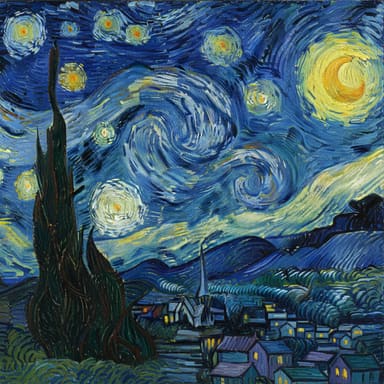
Repaint a photo in a classic painting style.
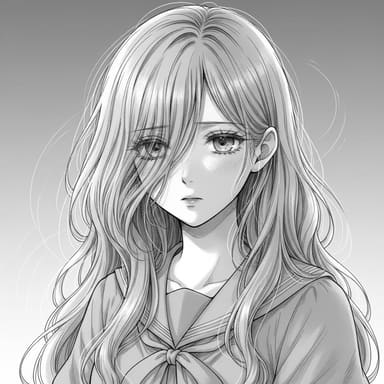
Turn a portrait into a manga-style line drawing.
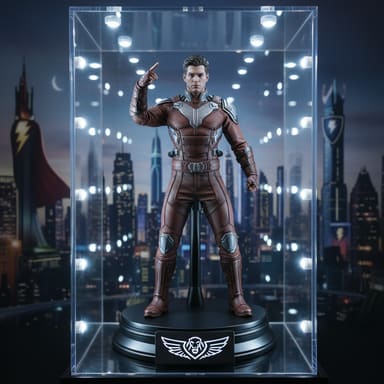
Make a photo look like a boxed action figure.
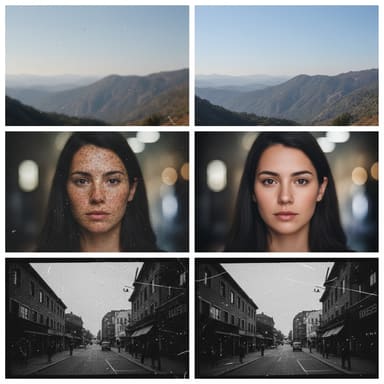
Repair scratches and fading in old prints.

Turn a selfie into a studio-style headshot.
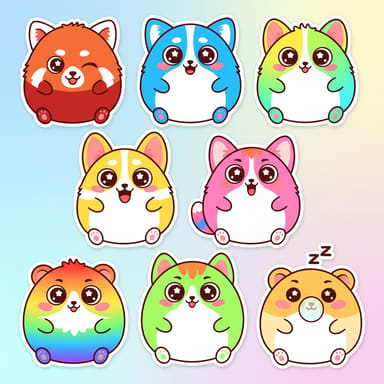
Turn a photo or idea into die-cut stickers.
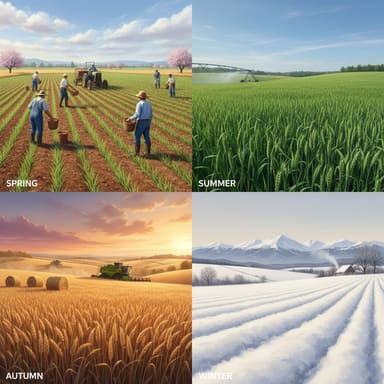
Show the same scene in spring, summer, autumn and winter.
you want free text-to-image generation without an account and are happy to start every picture from a prompt. Its generator page describes it as unlimited, which suits quick experiments.
you need to change a photo you already have, such as swapping a background, restyling a portrait or restoring an old print, or you want to turn the result into a video. It needs a free account and credits, and the generate button shows the cost first.
No. ViNano is an independent AI image editor and video generator and is not affiliated with Perchance. This page compares the two for people who are looking for a Perchance AI image editor.
Yes. Upload a photo in the editor at the top of this page and describe the change, or open a one-click tool such as background removal or photo restoration.
It is free to try, not unlimited. Editing needs a free account and uses credits: new accounts get 50 sign-up credits with most email providers (20 with others), and one Nano Banana edit costs 25 credits on a free account. The pricing page lists credit packs and plans.
Nano Banana edits have no visible watermark. Google says every image created or edited with Gemini 2.5 Flash Image, the Nano Banana model, carries an invisible SynthID watermark that identifies it as AI-generated (Google Developers Blog).
Every upload and prompt passes a content safety check, and requests that break our Terms of Service are refused. Only edit photos of yourself or of people who have agreed to it, and do not use an edited photo to impersonate someone.
Yes. Open AI Video, upload the edited image and describe the motion. Seedance 1.0 Pro runs on credits; other video models need a paid plan.