Portrait: a subtle smile and a slow push-in
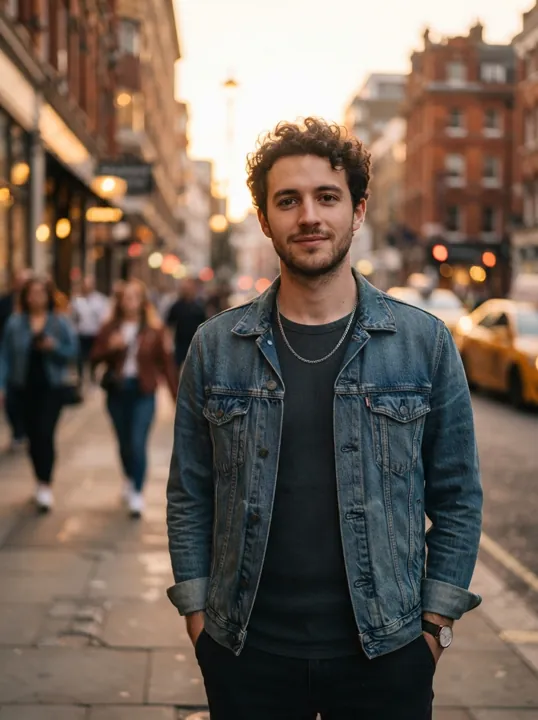
Prompt: The man smiles slightly and turns his head toward the camera as a light breeze moves his hair; people walk past in the soft-focus background; slow camera push-in, warm golden hour light
An AI video maker from photo turns one still image into a short video clip. Upload a photo, describe the motion you want, choose a model such as Veo 3.1, Seedance or Grok Imagine, and download the MP4 when it is ready.
Supports drag & drop, paste, file selection or URL input.
Supports drag & drop, paste, file selection or URL input.
Content generated on this platform is produced by artificial intelligence models and does not represent the platform's position. [Disclaimer]. [Privacy Policy].
To protect your privacy, we regularly clear history records. Please see our Privacy Policy。 To modify retention rules, click here
No videos yet, start creating now!
Each clip below was generated on November 1, 2026 from the photo next to it with Seedance 1.0 Pro, 5 seconds at 720p, using the prompt shown. The source photos are AI-generated, so no real person's likeness is used.
Prompt: The man smiles slightly and turns his head toward the camera as a light breeze moves his hair; people walk past in the soft-focus background; slow camera push-in, warm golden hour light
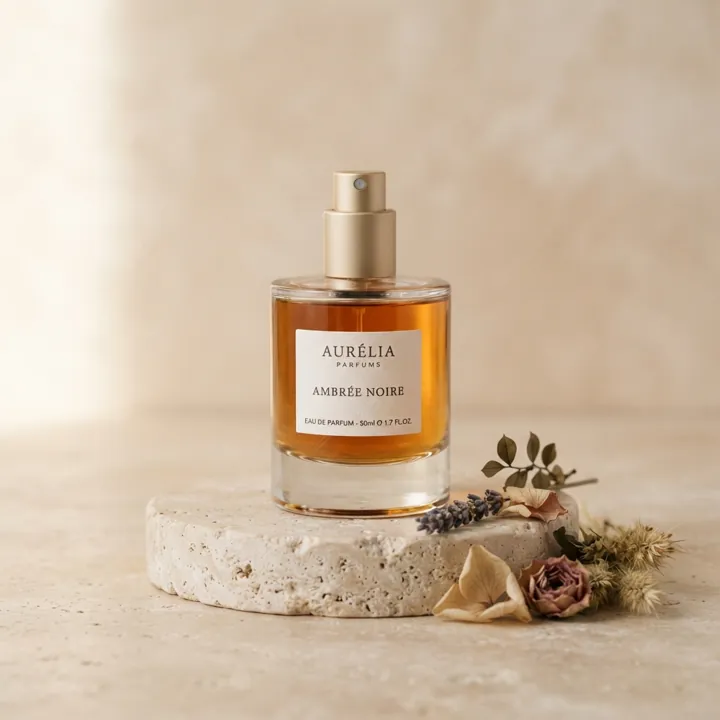
Prompt: Slow orbit around the perfume bottle, light glints across the glass and the amber liquid shimmers, the dried flowers sway gently, soft studio lighting
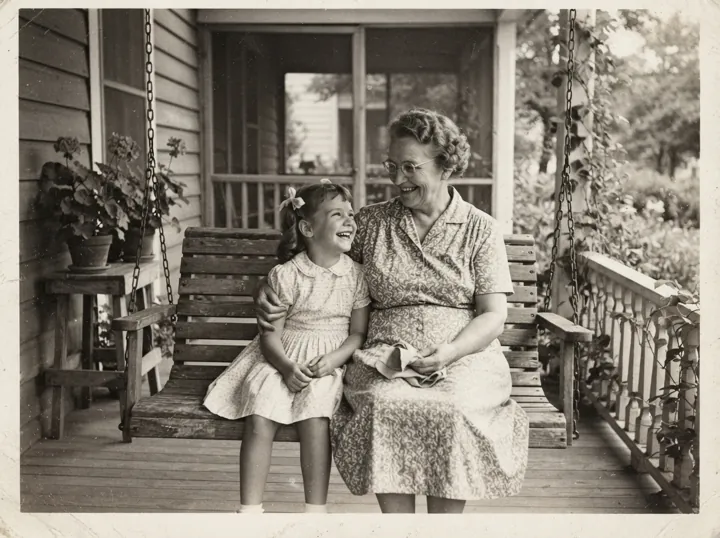
Prompt: The grandmother and the little girl gently swing on the porch swing and laugh together, the girl leans on her shoulder, subtle natural movement, keep the black-and-white vintage look
Upload a photo in the image box above. Common formats such as JPG, PNG and WebP work, and a photo with one clear subject gives the most natural motion.
Describe the motion and the camera movement, then choose a model, length, resolution and aspect ratio. The generate button shows the credit cost before you start.
Generate the clip; it usually takes a few minutes, and you can follow it in your video history. Download the MP4 when it is ready. If a generation fails, the credits are refunded automatically.
Every model below accepts a photo as the starting point. Veo comes from Google DeepMind and Seedance from ByteDance Seed; each name links to its page on ViNano with the full settings.
| Model | Clip length | Resolution | Sound |
|---|---|---|---|
| Veo 3.1 | Set by the model | 720p / 1080p / 4K | Yes |
| Seedance 1.0 Pro | 5 / 10 s | 480p / 720p / 1080p | No |
| Seedance 2.0 Pro | 5 / 10 / 15 s | 480p / 720p / 1080p | Yes |
| Seedance 2.5 | 5 / 10 / 15 s | 480p / 720p / 1080p | Yes |
| MiniMax H3 | 5 / 10 / 15 s | 768p / 2K | Yes |
| Grok Imagine | 6–30 s | 480p / 720p | Yes |
For example, a 5-second Seedance 1.0 Pro clip costs 30 credits at 480p and 60 at 720p, and a Veo 3.1 Fast clip costs 180 credits. Video prices are the same on free and paid accounts, and the generate button always shows the exact cost first.
Repair scratches and fading first with AI photo restoration, then ask for small, natural motion such as a smile, a blink or a gentle swing. The photo revive example shows a full prompt and settings.
Turn a product photo into a short orbit or close-up clip for a store page or an ad. A plain background keeps the attention, and the motion, on the product.
Pick 9:16 for Reels, Shorts and TikTok or 1:1 for feeds. Seedance and Grok Imagine let you choose the aspect ratio before you generate.
Animate a picture you made with the AI image generator or restyled with art style transfer, for example drifting clouds or a character turning around.
Use photo to video when you already have the picture you want to bring to life, such as a portrait, a product shot or a restored family photo. The clip starts from your photo, so faces, products and the layout stay recognizable.
Use text to video when you are starting from an idea and have no image yet; the model creates the whole scene from your description. You can also create an image first with the AI image generator and then animate it here.
At ViNano AI, use the most advanced ViNano AI model technology to generate images, then explore exciting AI-generated video content, experience the unlimited possibilities of creative videos
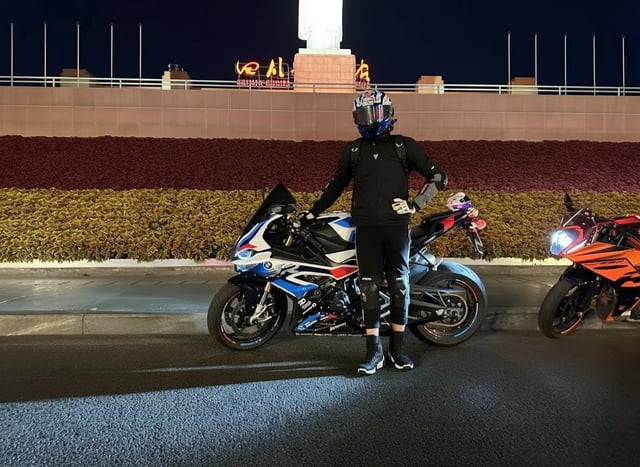
From ordinary vehicle photos to cool character poses, showcasing more dynamic vehicle-themed scenes, requiring only one original image to complete the creation.
"Change the person in the photo to get out of the car, stand next to the car, and pose in a cool way"
"Use the motorcycle and rider in the picture to generate a photo of riding fast in the rain. In the lens, you can see raindrops falling, passing through a puddle, splashing a little water towards the lens, and then the lens immediately switches to capture the back of the motorcycle."
...Click to view full prompt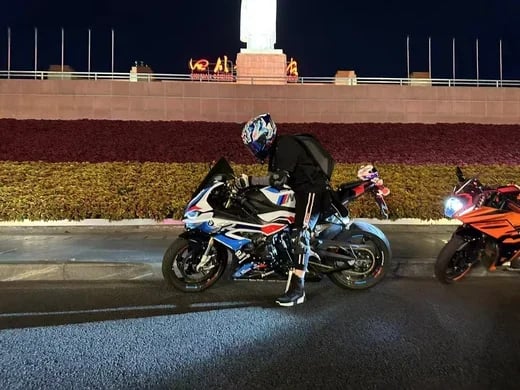
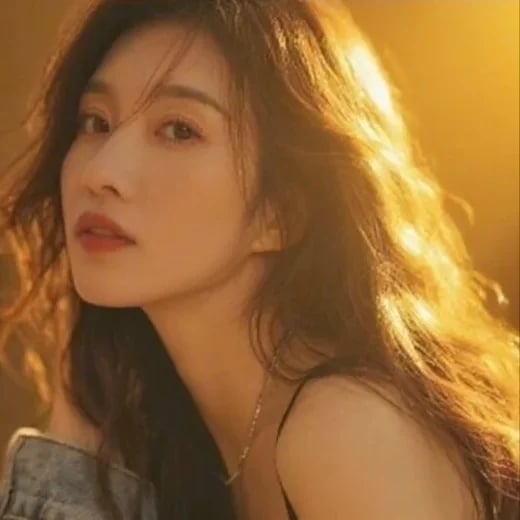
From static portraits to dynamic charm display, perfect interpretation of feminine elegant postures, showcasing captivating grace.
"The camera slowly zooms out. The woman stands up, walks towards me, and blows me a kiss."

Amazing transformation from business person to future warrior, cinematic special effects showcasing sci-fi charm.
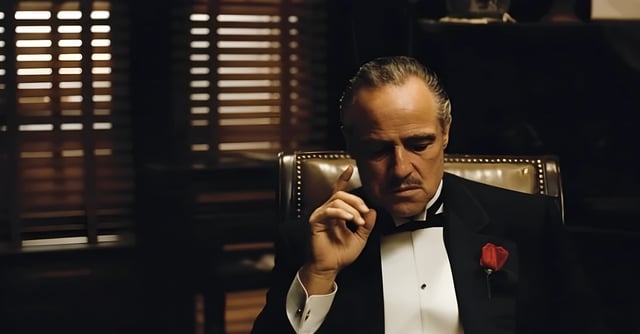
"A cinematic 8-second video in a dark, dramatic office with Venetian blinds casting striped shadows across the room. Scene begins with the man on the left, who was leaning in to whisper, slowly standing upright and walking away into the shadows. The camera tracks smoothly, keeping the central figure in focus. The central man, seated in a leather chair, lowers his hand, then rises slowly with authority. As he stands, his elegant black tuxedo instantly transforms into a glowing, futuristic Iron Man–style suit of armor, with metallic plates snapping into place across his body in rapid succession. The camera performs a dynamic dolly zoom, emphasizing the transformation. Once fully armored, he raises his right arm, a glowing weapon emerges, and he points it directly at the camera. The camera shifts to a close-up, the glowing barrel of the weapon filling the frame. In the final moment, a powerful energy blast fires directly into the lens, and the screen flashes white with cinematic sound design."
...Click to view full prompt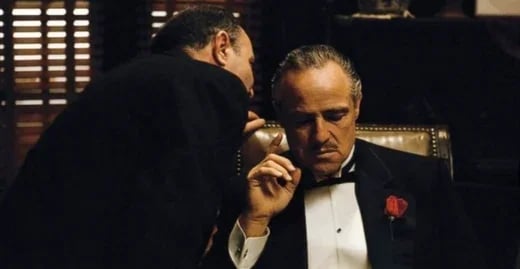
Rapid transformation from wedding dress to various outfits, showcasing AI creativity in the fashion field.
"Help me quickly change the outfit of this bride in a wedding dress, from the style in the picture to a professional outfit, then to a mecha outfit, and finally to a swimsuit. The camera rotates 360 degrees and slowly zooms out; the girl's eyes follow the camera."
...Click to view full prompt

Learn how to use our AI video generation tool to quickly create professional video content.