Updated November 1, 2026

What Is the Best AI Image Generator? Free & Paid Tools Compared

What is the best AI image generator? There is no single winner: it depends on whether you need realistic photos, readable text, a particular art style or a free plan. Below we compare seven tools on free options and prices from their official pages, show four models answering the same prompts, and let you try them right here.

ViNano is our own product. Details about other tools come from their official pages, checked on November 1, 2026. Prices and free plans change, so confirm on each site before you pay.

Try the generator
Bulin 47 Video Editing

Just describe it, and AI will paint it! Turn your wildest imagination into stunning visuals with simple words

Content generated on this platform is produced by artificial intelligence models and does not represent the platform's position. [Disclaimer]. [Privacy Policy].

The Best AI Image Generators at a Glance

Each row sums up what the tool is known for, whether it has a free option and the lowest paid price on its official pricing page. ViNano runs several models in one account; they are compared in more detail further down.

ToolBest known forFree optionPaid plans fromSource
ViNano (this site)Several image models, including Nano Banana and GPT Image, plus photo editing tools in one account5 ViNano Basic images a day without an account, plus sign-up creditsCredit packs from $12.90, one-time; credits never expireViNano pricing
ChatGPT (OpenAI)Creating and editing images inside ChatGPT conversationsYes, with a separate image limit; the number of images is not publishedChatGPT Go, $8/month (US)openai.com
Google Gemini (Nano Banana)Image generation and photo editing in the Gemini appYes, with a Google Account; limits refresh every 5 hours, up to a weekly capGoogle AI Plus, $4.99/month (US)gemini.google
MidjourneyText-to-image art with style personalizationNo free plan on the website or DiscordBasic, $10/month, or $8/month billed yearlydocs.midjourney.com
Adobe FireflyFirefly models built into Creative Cloud appsYes, a daily number of free generations; the count is not publishedFirefly Standard, $9.99/month (US)adobe.com
Leonardo.AiImages, video and design tools across 80+ modelsYes, 150 fast tokens a day with the Auto modelEssential, $12/month, or $10/month billed yearlyleonardo.ai
IdeogramImages with text and logosYes, 30 credits a week with a Google, Apple or Microsoft sign-inPlus, $20/month, or $15/month billed yearlydocs.ideogram.ai

Checked November 1, 2026. “Paid plans from” is the lowest listed price that includes image generation and may assume annual billing; see each source for details.

Same Prompt, Different Models: Sample Comparison

We ran three prompts through four of the models available on ViNano on November 1, 2026, using the default settings, a 1:1 square and 1K resolution. Each image is a single first attempt with no retries or editing. Other companies' tools are not shown here because we only publish images we generated ourselves.

Realistic photo

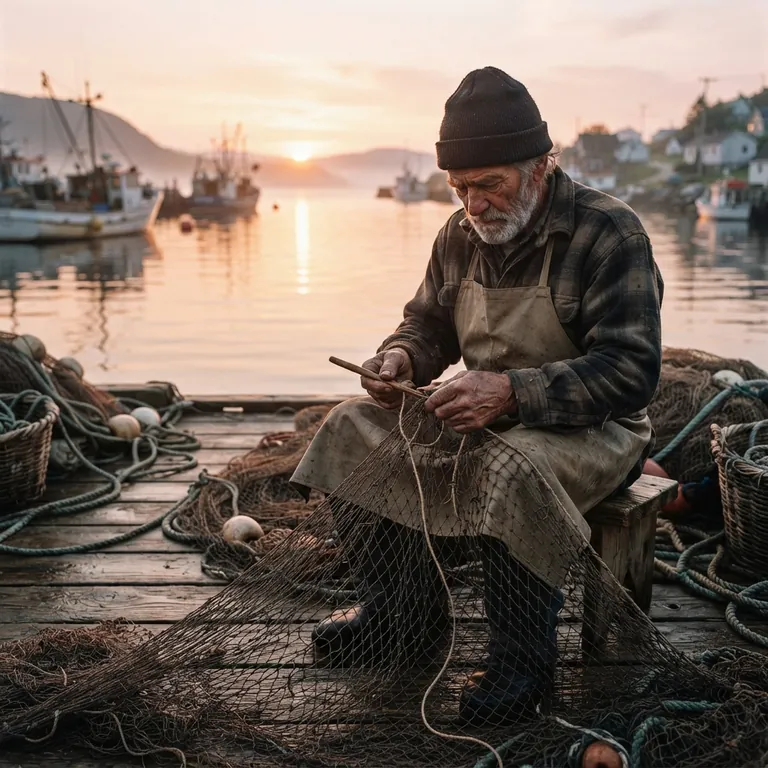
Prompt: A candid photo of an elderly fisherman mending a net on a wooden dock at sunrise, warm natural light, weathered hands in focus, shallow depth of field, realistic photography
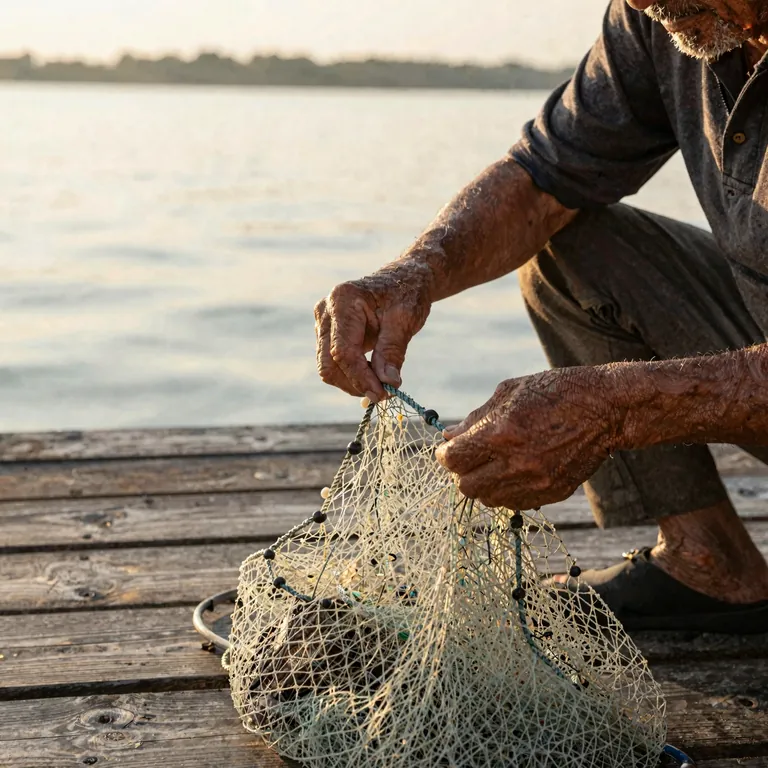
ViNano Basic result: close-up of an old fisherman's weathered hands mending a net on a wooden dock at sunrise
ViNano Basic
Nano Banana result: an old fisherman seated on a dock mending a net, with boats in the harbor at sunrise
Nano Banana
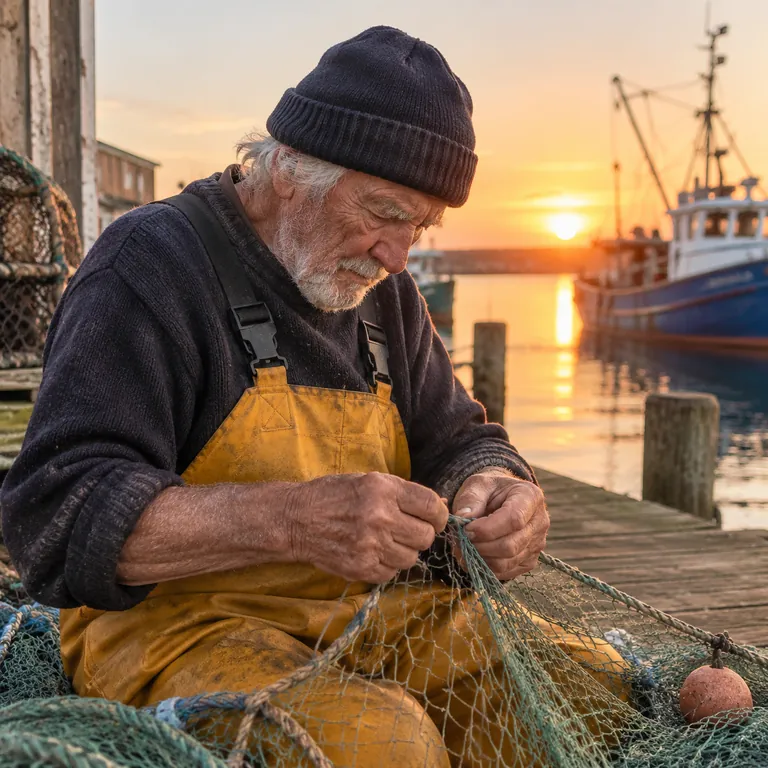
GPT-Image 2 result: medium shot of an old fisherman in a knit cap and yellow overalls mending a net at sunrise
GPT-Image 2
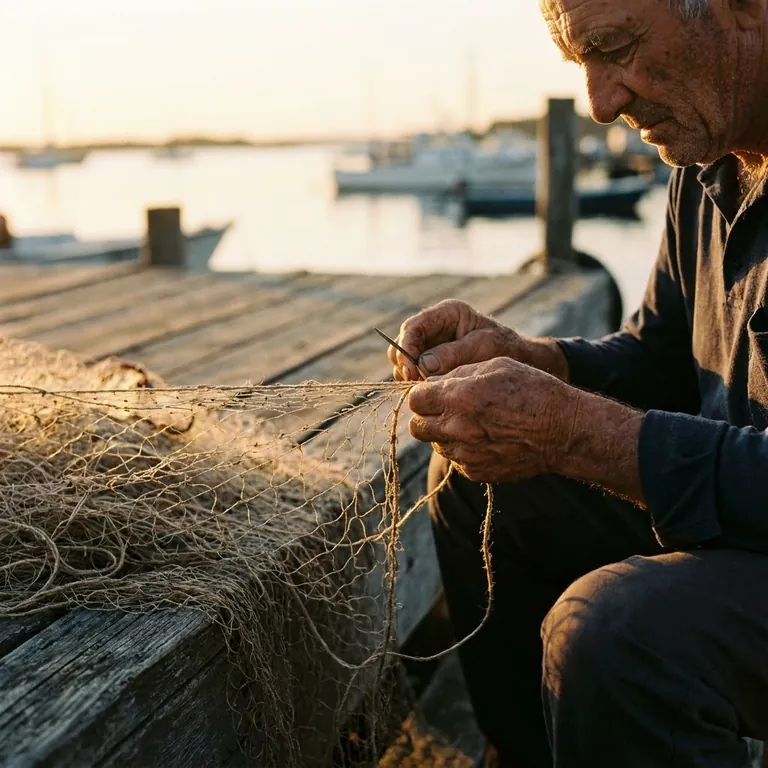
Nano Banana Pro result: an old fisherman's hands mending a net on a dock, harbor softly blurred behind
Nano Banana Pro

All four produced a believable sunrise scene. ViNano Basic and Nano Banana Pro followed “weathered hands in focus” closely and cropped in on the hands, leaving the face mostly out of frame. Nano Banana pulled back to show the whole harbor, and GPT-Image 2 framed a medium shot with a detailed face and the strongest sunrise colors.
Poster with text

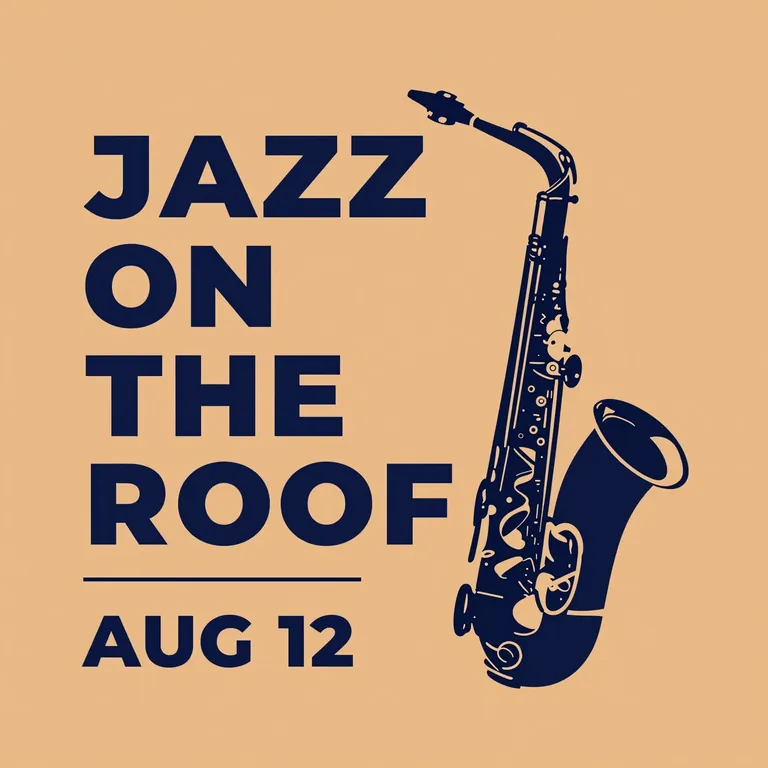
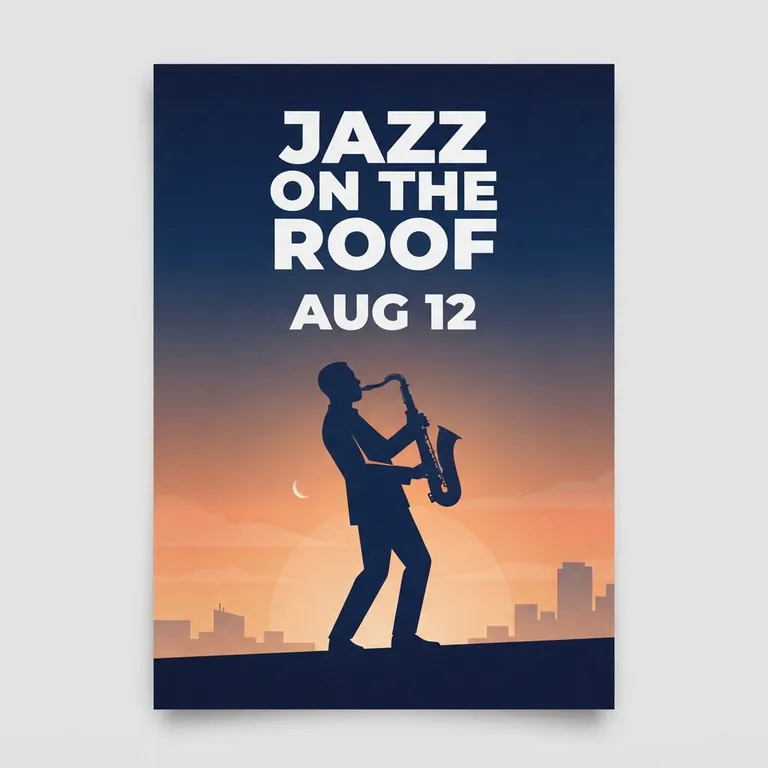
Prompt: A minimalist poster for a summer jazz night with the exact text "JAZZ ON THE ROOF" and below it "AUG 12", bold clean lettering, a saxophone silhouette, warm orange and navy colors

ViNano Basic result: flat poster with navy text JAZZ ON THE ROOF, AUG 12 and a saxophone on an orange background
ViNano Basic
Nano Banana result: poster mock-up with JAZZ ON THE ROOF, AUG 12 and a saxophonist silhouette at dusk
Nano Banana
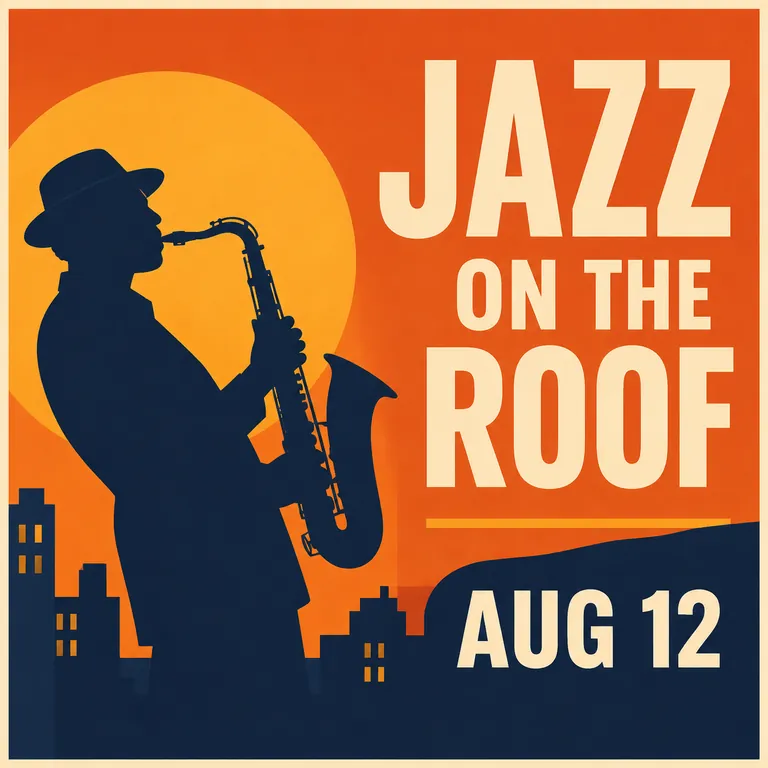
GPT-Image 2 result: bold orange poster with JAZZ ON THE ROOF, AUG 12, a saxophonist and a city skyline
GPT-Image 2
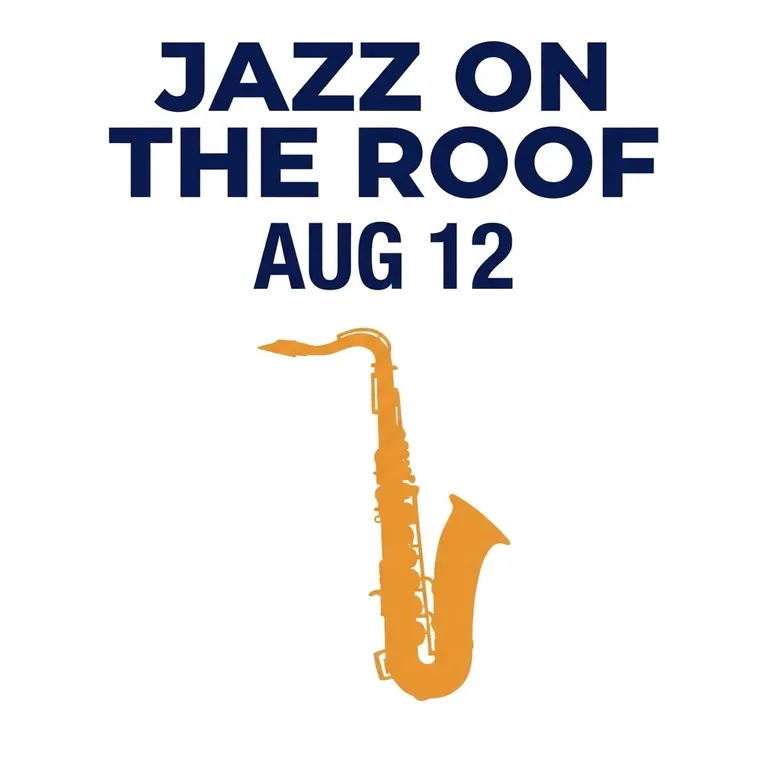
Nano Banana Pro result: minimal white poster with navy JAZZ ON THE ROOF, AUG 12 and an orange saxophone
Nano Banana Pro

Every model spelled “JAZZ ON THE ROOF” and “AUG 12” correctly. The difference is the layout: ViNano Basic made a flat, print-style poster, Nano Banana showed the poster as a mock-up on a gray wall, GPT-Image 2 added a sunset and a city skyline behind the saxophonist, and Nano Banana Pro kept it to navy text and an orange saxophone on white.

Storybook illustration

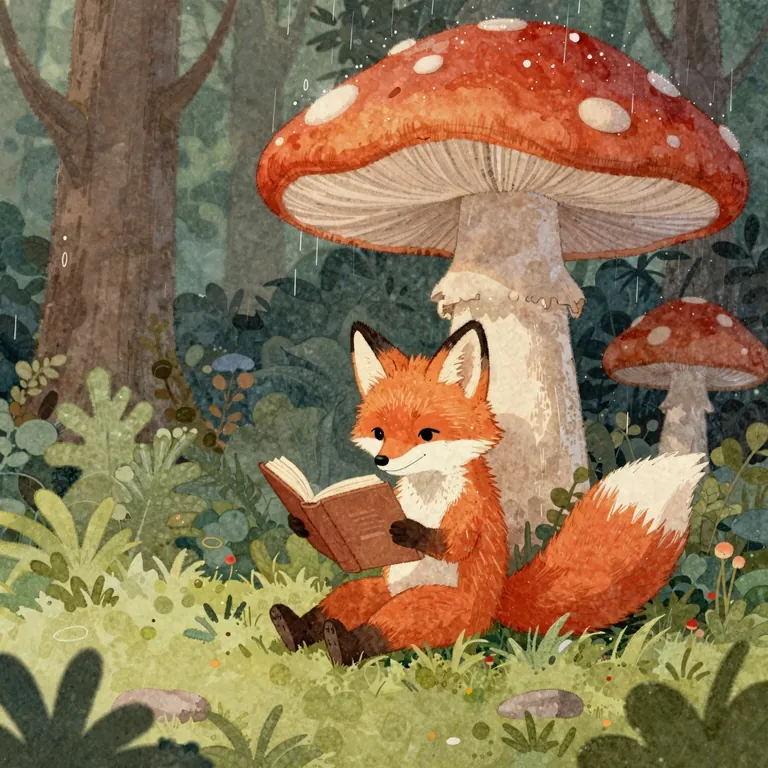
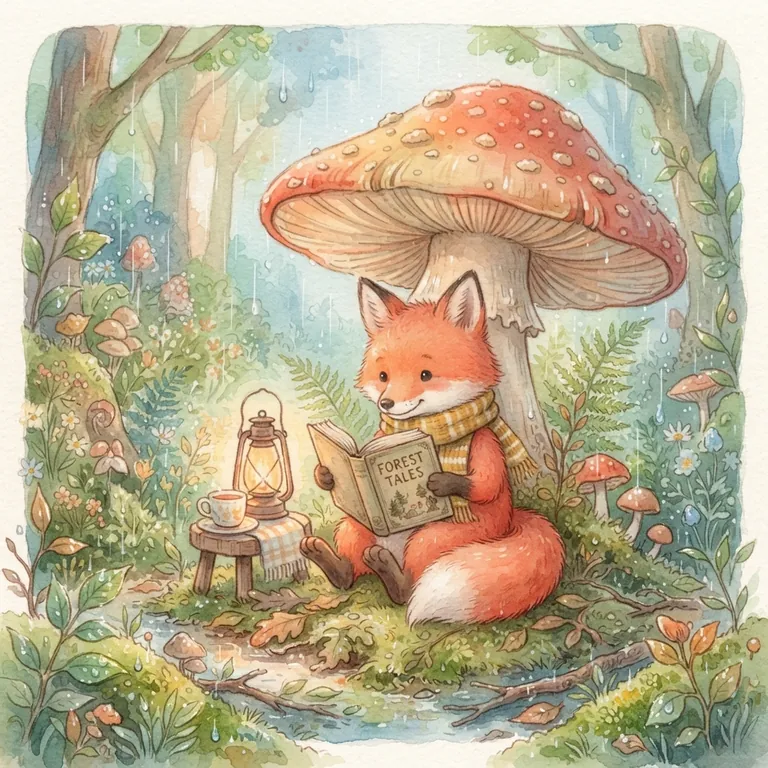
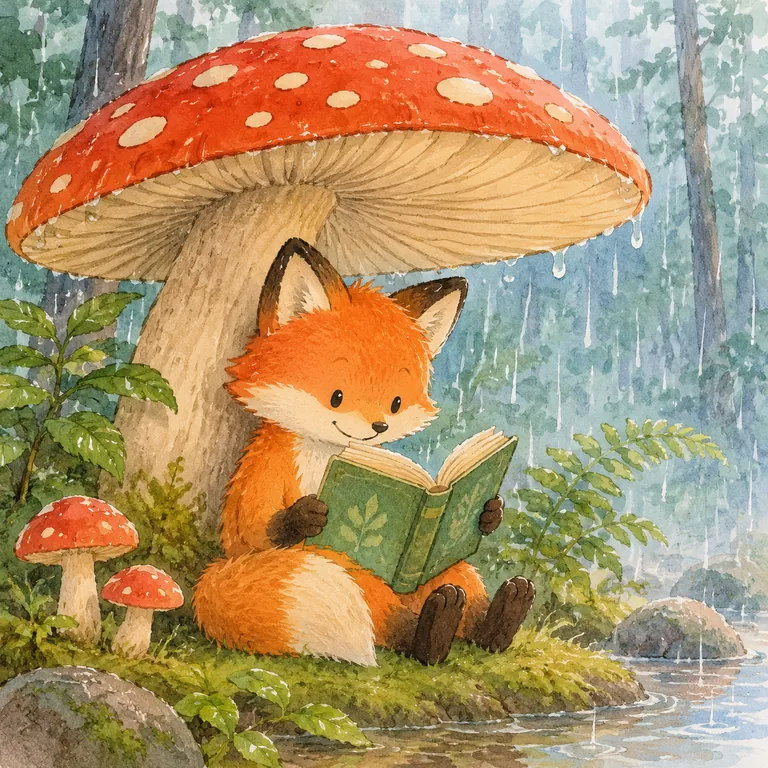
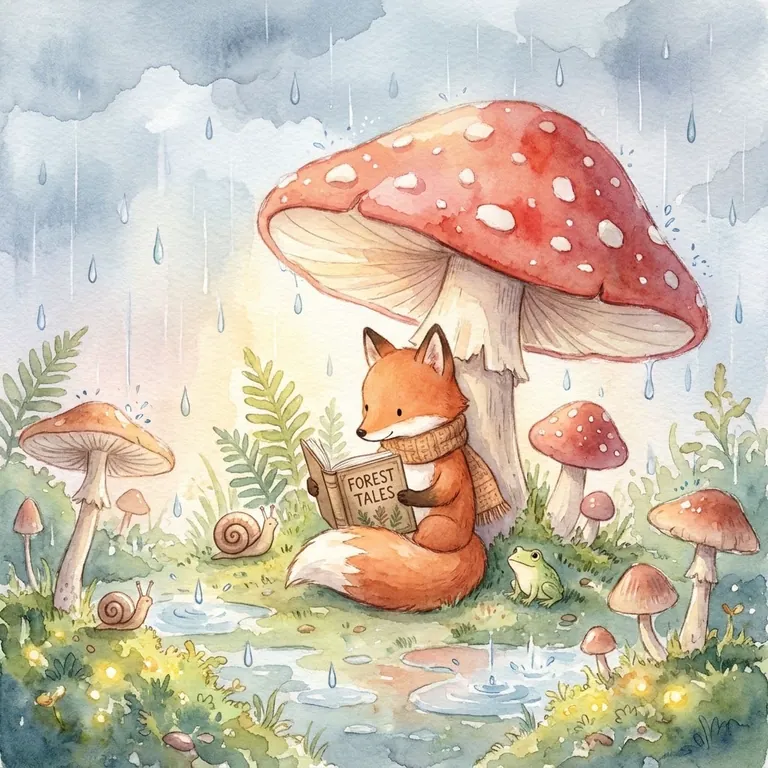
Prompt: A cozy watercolor illustration of a red fox reading a book under a large mushroom in a rainy forest, soft pastel colors, gentle storybook style

ViNano Basic result: a red fox reading a book under a large red mushroom in a green forest
ViNano Basic
Nano Banana result: watercolor fox reading under a mushroom with a lantern and a teacup in the rain
Nano Banana
GPT-Image 2 result: bright watercolor fox reading a green book under a red mushroom beside a stream
GPT-Image 2
Nano Banana Pro result: soft pastel watercolor fox reading under a mushroom in the rain, with a snail and a frog
Nano Banana Pro

Nano Banana Pro gave the softest watercolor look, with visible rain and small extras such as a snail and a frog. Nano Banana added a lantern and a teacup, GPT-Image 2 used brighter colors with a stream in the foreground, and ViNano Basic looked more like a gouache painting and left out the rain.

AI Image Models You Can Use on ViNano

Every model below works from the same prompt box. The credits are what one 1K image costs. Free accounts can only use ViNano Basic and Nano Banana, at the free-account price shown; every other model is a Pro model and needs an account that has bought credits or a plan. See pricing for credit packs and plans.

ModelGood forCredits per image (paid account)Credits per image (free account)
ViNano BasicLow-cost drafts; visitors can try it without an account, 5 images a day. Up to 2K.33
Nano BananaEveryday images and photo edits at a low price. Up to 2K.1525
GPT-Image 2Text in images, posters and detailed scenes. Up to 4K.25Paid accounts only
GPT Image 2.5 FlareOpenAI's GPT Image 2.5, in Flare and Sunburst variants. Up to 4K.100Paid accounts only
Nano Banana 2.1A newer Nano Banana version. Up to 4K.30Paid accounts only
Nano Banana 2Pro model for finer detail. Up to 4K.50Paid accounts only
Nano Banana ProPro model for the most detailed Nano Banana results. Up to 4K.80Paid accounts only

Credits are read from the live model settings and can change; the generate button always shows the cost before you start. A $12.90 credit pack includes 3,900 credits, and see the pricing page for other packs and plans.

Best Free AI for Image Generation

If you are looking for the best free AI for image generation, the free plan matters more than the strongest model. This is what each tool's official pages say about free use. Free plans change often, so check the linked sources in the table above before you rely on them.

ToolFree allowanceAccount neededNotes
ViNano5 ViNano Basic images a day without an account; sign-up credits (50 for most email providers, 20 for others), about two Nano Banana imagesNo for ViNano Basic; yes for other modelsViNano Basic images at 1K from visitors and free accounts carry a small watermark; Google sign-ups can claim a daily check-in reward
ChatGPTImage creation with a separate usage limit; the count is not publishedYes, a free accountOpenAI's terms say you own the output on every plan
Google GeminiLimits refresh every 5 hours, up to a weekly cap; 1K downloadsYes, a Google AccountFree images carry a visible watermark and a SynthID watermark
MidjourneyNone on the website or Discord; a limited trial only in the niji·journey appA paid plan is neededImages are public by default; private mode starts with the Pro plan
Adobe FireflyA daily number of free generations on selected models; the count is not publishedYes, a free Adobe accountAdobe describes outputs from its own Firefly models as commercially safe
Leonardo.Ai150 fast tokens a day, Auto model onlyYes, a free accountFree creations are public; Leonardo owns free-plan output but grants a commercial license
Ideogram30 credits a weekGoogle, Apple or Microsoft sign-in; email accounts get no free creditsEverything made on the free plan is public

How to get more from free credits

  • Test a prompt at 1K with a low-cost model such as ViNano Basic or Nano Banana before you switch to a Pro model or 2K and 4K.
  • Change one detail at a time instead of rewriting the whole prompt, so you can see what made the difference.
  • Check the license before you publish: whether free images can be used commercially depends on each tool's terms. For ViNano, see the Terms of Service.
  • Generate small, then sharpen only the image you keep with the Image Enhancer.

How to Choose the Best AI Image Generator for You

Realistic photos

Pick a model that keeps faces, hands and light believable. In our test, GPT-Image 2 and Nano Banana Pro gave the most photographic results, and you can switch between them in the AI image generator.

Text and posters

If the image needs words, check the spelling in every result. All four models we tried rendered a short headline and date correctly; keep text short and generate a few versions. For layouts, start from the poster design tool.

Editing a photo you already have

Text-to-image tools start from nothing. To change part of a real photo, use the AI image editor, or AI inpainting to repaint only the area you select.

Lowest cost

For drafts and lots of ideas, start with ViNano Basic or Nano Banana, then re-run your best prompt on a stronger model. ViNano credit packs never expire, which suits occasional use.

How to Generate an Image with ViNano in 3 Steps

  1. Type what you want to see in the prompt box above, or click one of the sample prompts.

  2. Choose a model and an aspect ratio. Nano Banana is selected by default, and the button shows the credit cost before you generate.

  3. Generate, then download the image or open it in the AI image editor to keep changing it.

Best AI Image Generator FAQ

What is the best AI image generator right now?

It depends on the job. For realistic photos and readable text, the strongest results in our November 2026 test came from GPT-Image 2 and Nano Banana Pro. For a free start, ViNano Basic needs no account, and the free comparison table lists other tools' free plans. Try the same prompt on two or three models before you commit.

What is the best free AI for image generation?

No free plan is unlimited. On ViNano, visitors can make 5 ViNano Basic images a day, and new accounts receive sign-up credits, 50 for most email providers, which cover about two Nano Banana images. Other tools' free allowances are listed in the free comparison table with links to their official pages.

Can I use AI-generated images commercially?

It depends on each tool's terms and sometimes on your plan, so read them before you publish. For ViNano, see our Terms of Service.

Which AI image generator is best for images with text?

In our poster test, ViNano Basic, Nano Banana, GPT-Image 2 and Nano Banana Pro all spelled a short headline and date correctly. Longer passages are still harder, so keep text short and check the spelling in every result.

Do I need to sign up to use an AI image generator?

Most tools ask you to sign in. On ViNano you can create up to 5 ViNano Basic images a day without an account; other models need a free account, and Pro models need an account that has bought credits or a plan.