
Choose NoteGPT if…
you only need a couple of quick edits a day without making an account, or you already use NoteGPT for notes, transcripts and slides and want everything in one place.
Looking for the NoteGPT AI image editor? NoteGPT's editor is one tool inside a wider notes and study suite, while ViNano is built only for image editing and AI video. Upload a photo below, describe the change, and Nano Banana, the same default model, redraws it in about a minute.
ViNano is an independent product and is not affiliated with NoteGPT. Facts about NoteGPT on this page come from its own AI Image Editor page, checked on November 3, 2026.
Upload a photo to editDrag, paste, or
Supported types: PNG, JPEG, JPG, WEBP, HEIC, URL
Content generated on this platform is produced by artificial intelligence models and does not represent the platform's position. [Disclaimer]. [Privacy Policy].
Editing needs a free account. New accounts get 50 sign-up credits with most email providers, and one Nano Banana edit costs 25 credits on a free account. The generate button shows the cost before you start.
Most people who search for the NoteGPT AI image editor want to change a photo with a short instruction: fix something, swap something or restyle it. Here is how each of those jobs works on ViNano.
Upload a photo and say what should change. Nano Banana (Gemini 2.5 Flash Image) is designed for targeted edits from natural-language instructions, according to Google's announcement, so unrelated areas usually stay as they were.
Describe a new scene in the editor above, or use background removal for a transparent cut-out.
Ask the editor to remove a stranger, a sign or stray text, and it fills the area to match the surroundings. Check fine details such as lettering afterwards.
The AI headshot generator turns a selfie into a studio-style portrait, and the ID photo maker prepares passport-style head-and-shoulders shots.
Repair old prints with AI photo restoration, or turn a photo into stickers or a painting.
Bring an edited image into AI Video on the same account. Seedance 1.0 Pro runs on credits; other video models need a paid plan.
Both editors run Google's Nano Banana by default, so a simple edit can look much the same in either. The differences are in free limits, sign-up, extra models and what else each product does.
| What you need | NoteGPT | ViNano |
|---|---|---|
| Default editing model | Nano Banana, with GPT Image 2 also offered on the page | Nano Banana; Nano Banana Pro, Nano Banana 2 and GPT Image 2.5 on paid accounts |
| Free use | 2 free images a day, then 6 premium credits per image | 50 sign-up credits once; 25 credits per Nano Banana edit on a free account |
| Account | Its page says no sign-up is needed | A free account is needed to edit photos |
| Uploads | Up to 8 images; PNG, JPG, JPEG or WebP up to 20 MB each | JPG, PNG, WebP or HEIC; large photos are compressed before upload |
| One-click tools | Background, object and text removal, headshots, passport photos, photo restoration, cartoon and sticker tools, among others | Background removal, headshots, ID photos, photo restoration, stickers, anime and painting styles, among others |
| Credits | Premium credits after the daily free images | Credit packs never expire; see pricing |
| The rest of the product | An AI suite for notes, transcription, slides, writing, voices and video | Focused on AI image editing and AI video generation |
NoteGPT details come from its AI Image Editor page and the product menu on that page, checked on November 3, 2026, and may change. ViNano credit costs are read from our live settings.
Add a JPG, PNG, WebP or HEIC photo to the editor at the top of the page. Sharp, evenly lit photos keep more detail after the edit.
Write the change as a short instruction, or pick one of the example edits, and mention anything that must stay the same.
Generate, compare the result with your photo and download it. Rephrase and run it again if the edit missed; each run uses credits.
These ready-made tools wrap a tested instruction around your photo, so you choose a few options instead of writing a prompt from scratch.

A clean cut-out on a transparent background.

Studio-style headshots from a selfie.
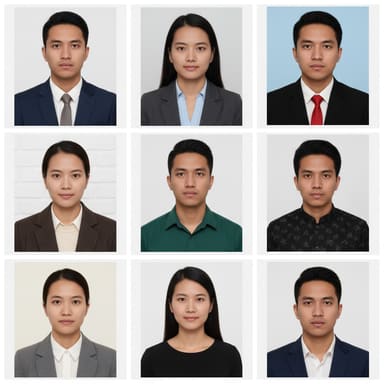
Passport-style photos on a plain background.
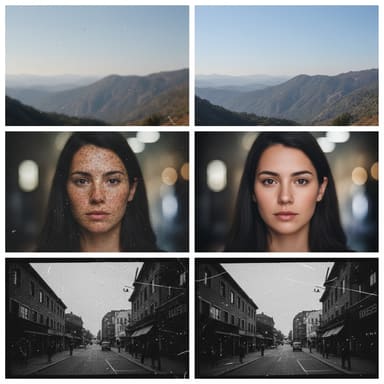
Fix scratches, stains and fading.
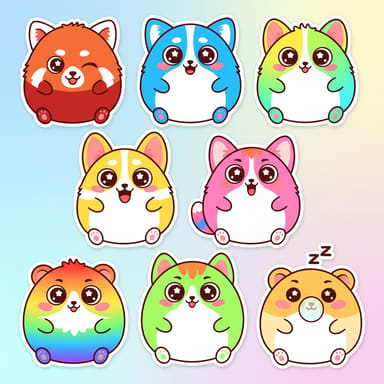
Die-cut stickers from a photo or idea.
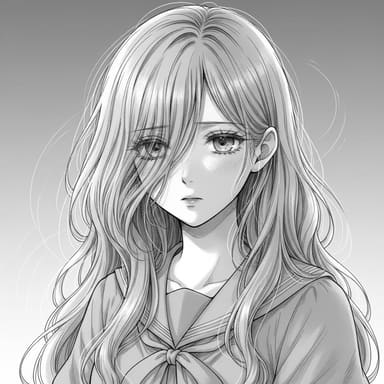
A manga-style line drawing of your photo.
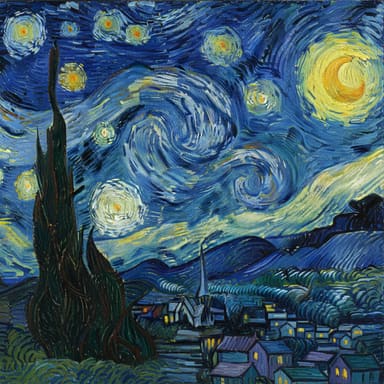
Repaint a photo like a classic painting.
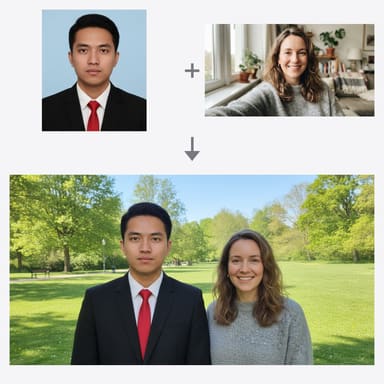
Merge people from separate photos into one.
you only need a couple of quick edits a day without making an account, or you already use NoteGPT for notes, transcripts and slides and want everything in one place.
you edit photos regularly and want an editor focused on images and video: paid access to Nano Banana Pro, Nano Banana 2 and GPT Image 2.5, ready-made tools for headshots, restoration and stickers, and credit packs that never expire.
No. ViNano is an independent AI image editor and video generator and is not affiliated with NoteGPT. This page compares the two for people looking for the NoteGPT AI image editor or an alternative to it.
Yes. NoteGPT's AI Image Editor edits photos from a prompt with the Nano Banana model and also lists GPT Image 2. When checked on November 3, 2026, its page offered 2 free images a day, then 6 premium credits per image.
Both use Google's Nano Banana (Gemini 2.5 Flash Image) as the default editing model, so simple edits can look similar. ViNano also offers Nano Banana Pro, Nano Banana 2 and GPT Image 2.5 on paid accounts.
It is free to try. Editing needs a free account and uses credits: new accounts get 50 sign-up credits with most email providers (20 with others), and one Nano Banana edit costs 25 credits on a free account. The pricing page lists credit packs and plans.
Credits from one-time credit packs never expire. Plans and packs are listed on the pricing page.
Yes. Open AI Video, upload the edited image and describe the motion. Seedance 1.0 Pro runs on credits; other video models need a paid plan.